Features
Everything a village website needs, ready on day one
GovSites comes with the pages and tools a village website needs, already built and connected. Your staff fills in the details.
- 30-day free trial
- No credit card
- Quick and easy setup

Core features
Built for how your village works
Everything you need in one place, so residents can find information and your staff can keep things up to date with less work.
Meetings, agendas and minutes
Post the agenda, attach the packet and add minutes once they’re approved. The portal reminds your clerk before posting deadlines pass.
Alerts residents can’t miss
Boil orders, road closures and office closings appear at the top of every page the moment you publish them, and come down on their own.
Documents residents can find
Ordinances, budgets, audits and forms in one searchable library, with a separate archive for older records.
One community calendar
Board meetings, holidays, pickups and community events together, with a featured spot on your home page.
Departments, boards and staff
Each department gets its own page with hours, contacts and services. Update a person once and it changes everywhere.
Online forms and requests
Contact forms, records requests and service requests go straight to the right inbox, with spam protection built in.
Search that actually finds things
Residents search pages, news, documents, meetings and services from one box.
News and pages
Share updates that also appear on your home page, and build the rest of your site from ready-made sections.
Compare plans
Compare all features
The same limits as the pricing page, with the rest of what every plan includes. Anything still in development is listed further down and is not in this table.
Scroll sideways to see every plan.
| Feature | EssentialsUnder 3,000 | Community3,000–15,000 | Premier15,000–50,000 |
|---|---|---|---|
| Meetings and transparency | |||
| Meetings, agendas and minutes | Included | Included | Included |
| Agenda packets and video links | Included | Included | Included |
| 48-hour agenda and 10-day minutes reminders | Not included | Included | Included |
| Content | |||
| Site-wide alerts | Included | Included | Included |
| Documents, events, news and services | Included | Included | Included |
| Pages and online forms | Included | Included | Included |
| Boards and commissions | Not included | Included | Included |
| Document categories and an archive | Included | Included | Included |
| Accessibility and compliance | |||
| Built to WCAG 2.1 AA | Included | Included | Included |
| Untagged PDF flagged on upload | Included | Included | Included |
| Accessibility statement on every site | Included | Included | Included |
| Site and domains | |||
| Site search | Included | Included | Included |
| Your own domain, including a free .gov address | Included | Included | Included |
| HTTPS certificates | Included | Included | Included |
| Hosted in the United States | Included | Included | Included |
| Five accessible designs | Included | Included | Included |
| Accounts and security | |||
| Staff accounts | 3 | 15 | Unlimited |
| Authenticator app for staff sign-in | Included | Included | Included |
| Village admin and editor roles | Included | Included | Included |
| Invite editors | Included | Included | Included |
| Storage and support | |||
| File storage | 10 GB | 50 GB | 200 GB |
| Support | Email, next business day | Phone and email, same business day | 4-hour priority response, named contact |
| Priority support | Not included | Included | Included |
| Pricing terms | |||
| Invoiced once a year | Included | Included | Included |
| Three-year price lock | Included | Included | Included |
| Renewal cap | Capped at 3% a year | Capped at 3% a year | Capped at 3% a year |
| Pay by ACH, check or card | Included | Included | Included |
| Launch help | Optional. Guided Launch included with a three-year term | Optional. Guided Launch included with a three-year term | Optional. Guided Launch included with a three-year term |
Less work for your clerk
Post it once. It shows up everywhere it belongs.
Add a meeting, announcement or document once and it automatically appears in the right places — your home page, calendar, alerts, search and more.
- No copying the same notice onto three pages
- Staff and department changes update everywhere
- Meet deadlines with built-in reminders
You post
Click to see where it goes
It shows up here
- Home pageListed under upcoming meetings
- Meetings pageWith agenda, packet and minutes
- Search resultsFound by anyone who searches
- CalendarAdded to the community calendar
- ArchiveKept with the meeting record for years
Built for everyone who depends on it
Easier for your staff. Clearer for your residents.

For clerks and staff
- Save time with one simple workflow
- Stay compliant with built-in reminders
- No technical skills required

For administrators and boards
- Keep information accurate and consistent
- Show your work with transparency
- Focus on your community

For residents
- Find information quickly
- Get important alerts
- Access a modern, easy-to-use website
- Built to WCAG 2.1 AAFederal accessibility standard
- Built-in remindersNever miss a posting deadline
- Easy to publishAdd a meeting in minutes
- Powerful searchFind what residents need
- Hosted in the United StatesSecure, reliable and compliant
A closer look
Every feature, in detail
The same features, with the details your clerk will ask about. Anything still in development is marked coming soon and is not sold as available.
Meetings, agendas and minutes
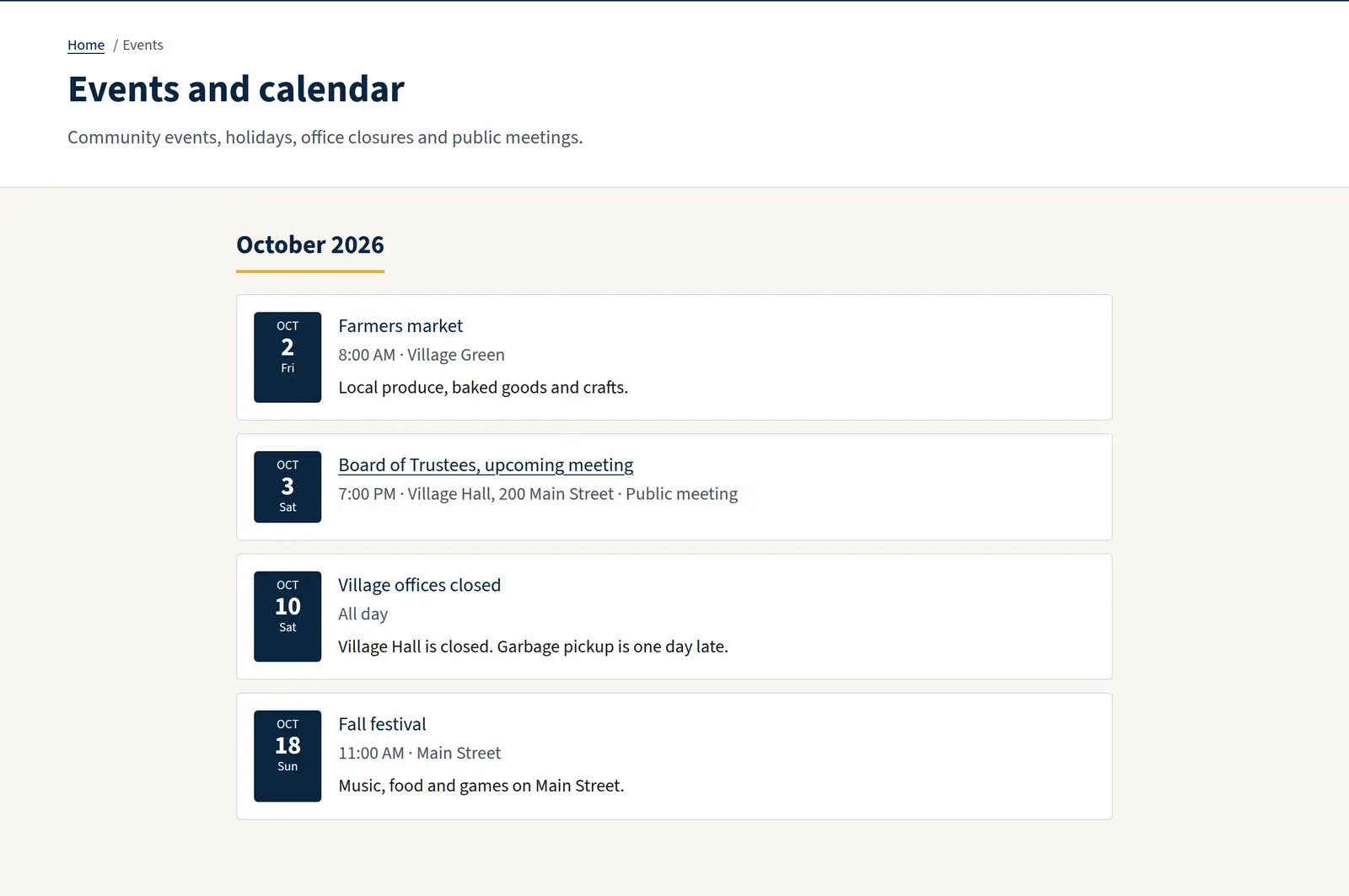
The heart of a village website. Every meeting keeps its documents together, and the portal keeps your posting deadlines in view.
- Agenda, packet, minutes and video link on one meeting record
- Boards and commissions with their members, seats and regular schedules
- Clear status for residents: scheduled, rescheduled, cancelled or held
- Reminders when an agenda is due 48 hours before a meeting, or approved minutes are due within 10 days, under the Illinois Open Meetings Act
- Upcoming meetings on your home page and a complete history on the meetings page
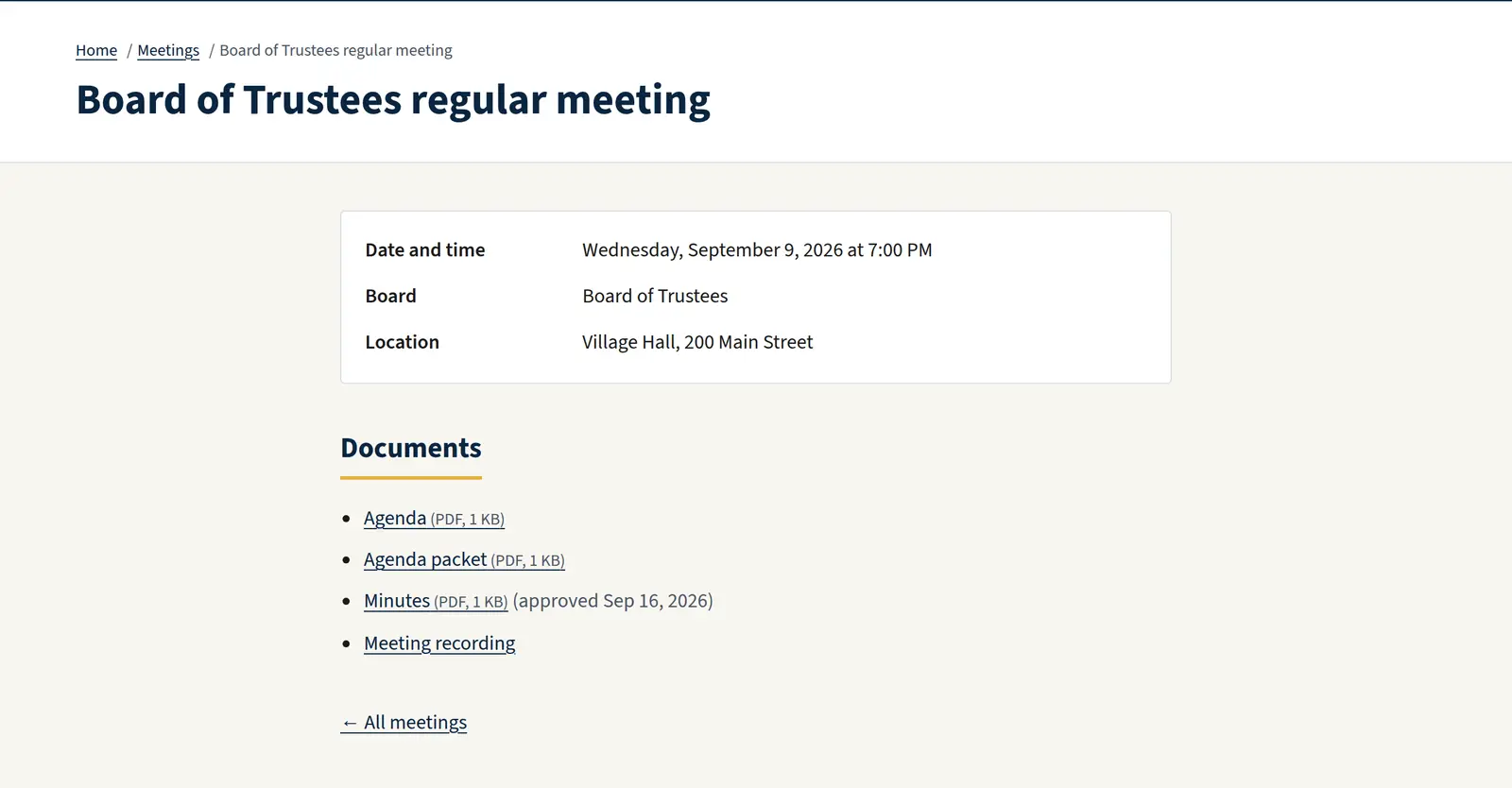
Alerts and notices
When something affects residents, it goes at the top of every page.
- Three levels: information, advisory (road closures, boil orders) and emergency
- Set a start and end time, and the alert comes down on its own
- Link an alert to a page or news post with the details
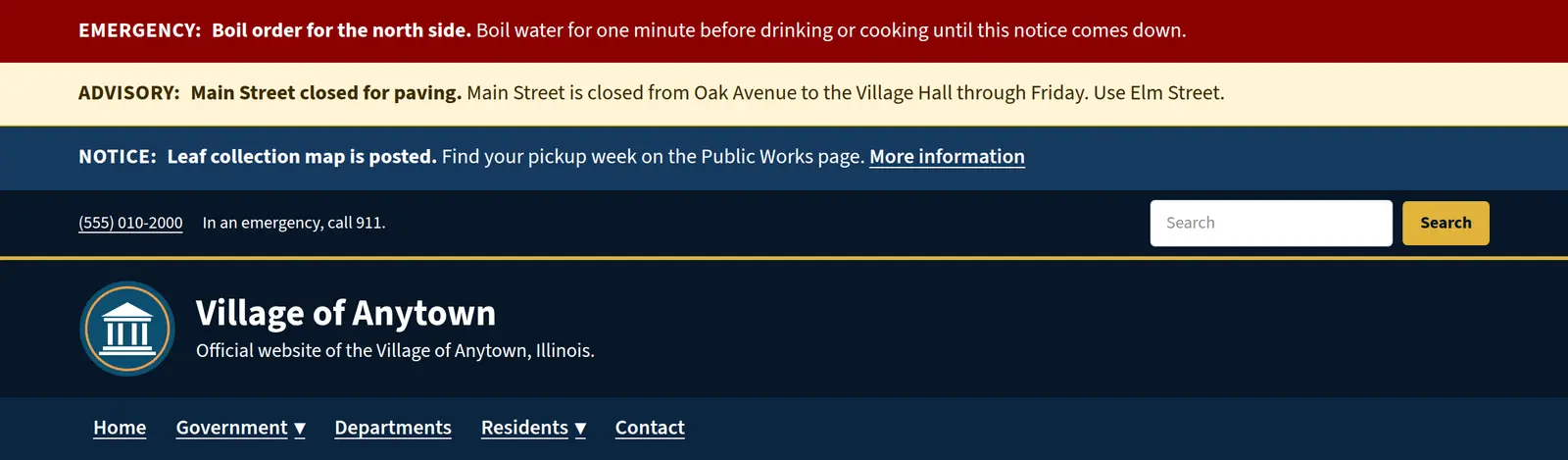
Documents and records
Ordinances, budgets, audits, reports and forms, organized so residents can find them.
- Categories, departments, document dates and descriptions
- A separate archive for older records, clearly labeled
- An accessibility status on every document, so you know which PDFs need attention
- Documents appear in site search alongside everything else
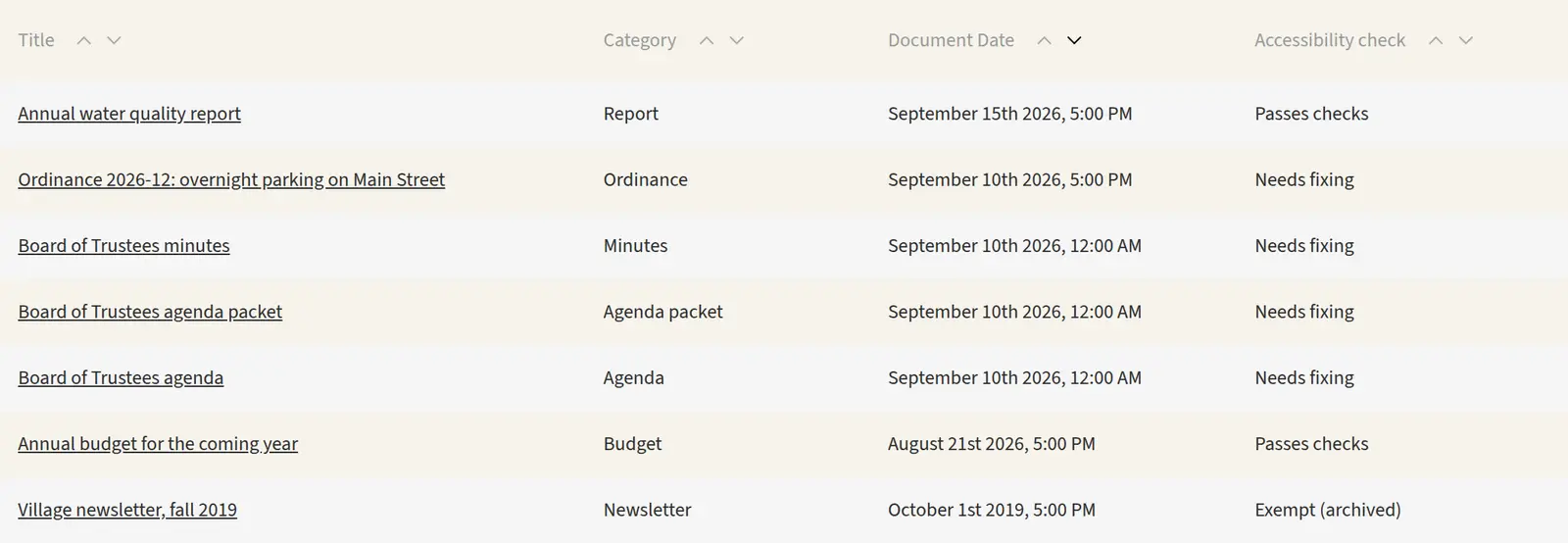
Community calendar
Board meetings, holidays, pickups and community events in one place.
- All-day or timed events with locations and categories
- Feature an event on your home page
- Link an event to a registration page or partner website
Departments, boards and staff
Keep contact information in one place, and every page that shows it stays current.
- A page for each department with hours, phone, email, address and department head
- A directory of staff and elected officials with titles, photos and terms
- Your village’s own titles: Village President or Mayor, Board of Trustees or Council
- An ADA coordinator and FOIA officer listed where residents expect them
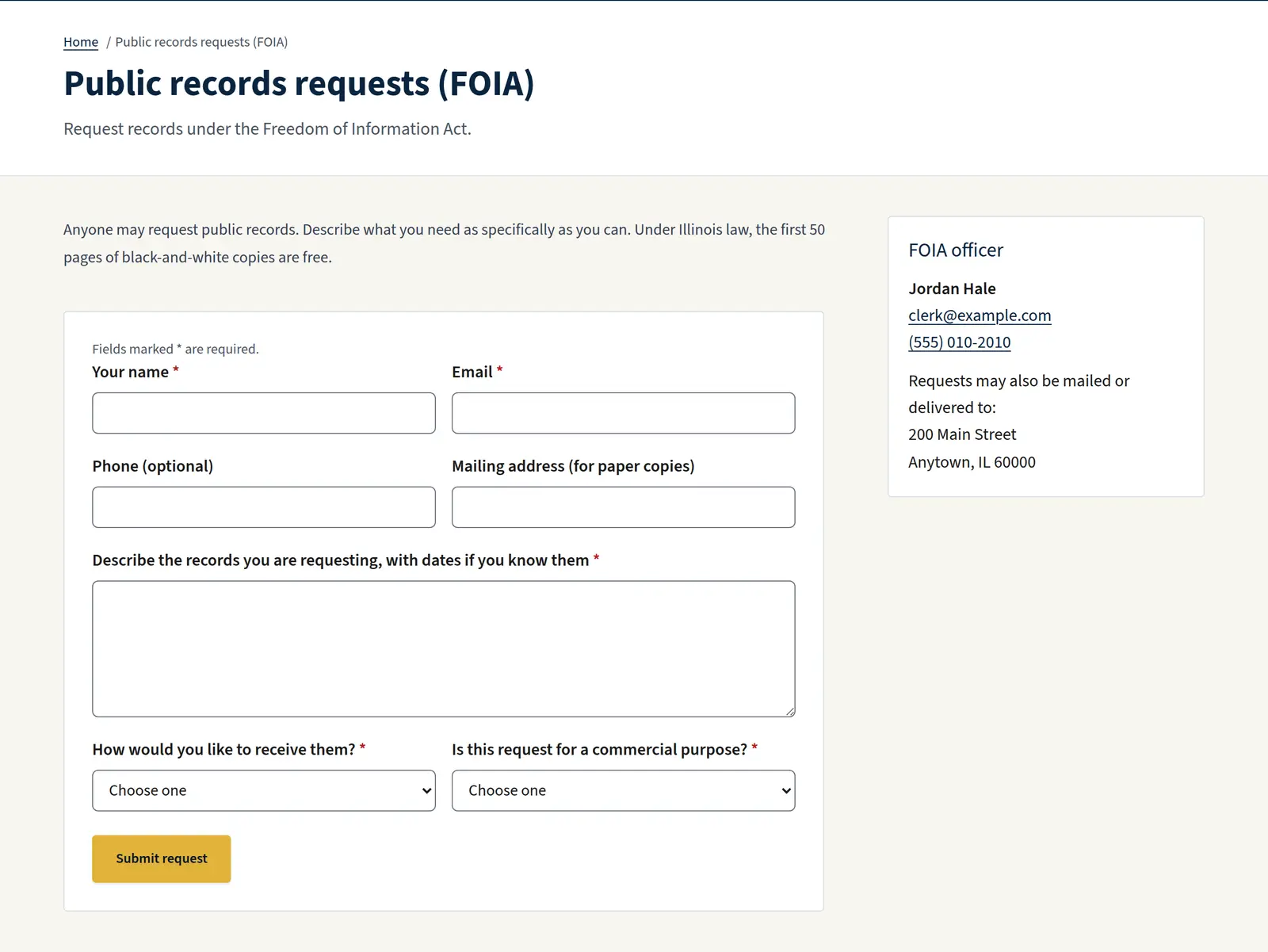
Services and online forms
Answer “How do I…?” questions and take requests online.
- Service pages with steps, links and the department that handles them
- Your most-used services as quick links on the home page
- Forms for contact, records requests and service requests, sent to the right staff
- Spam protection built in, without puzzles for residents to solve
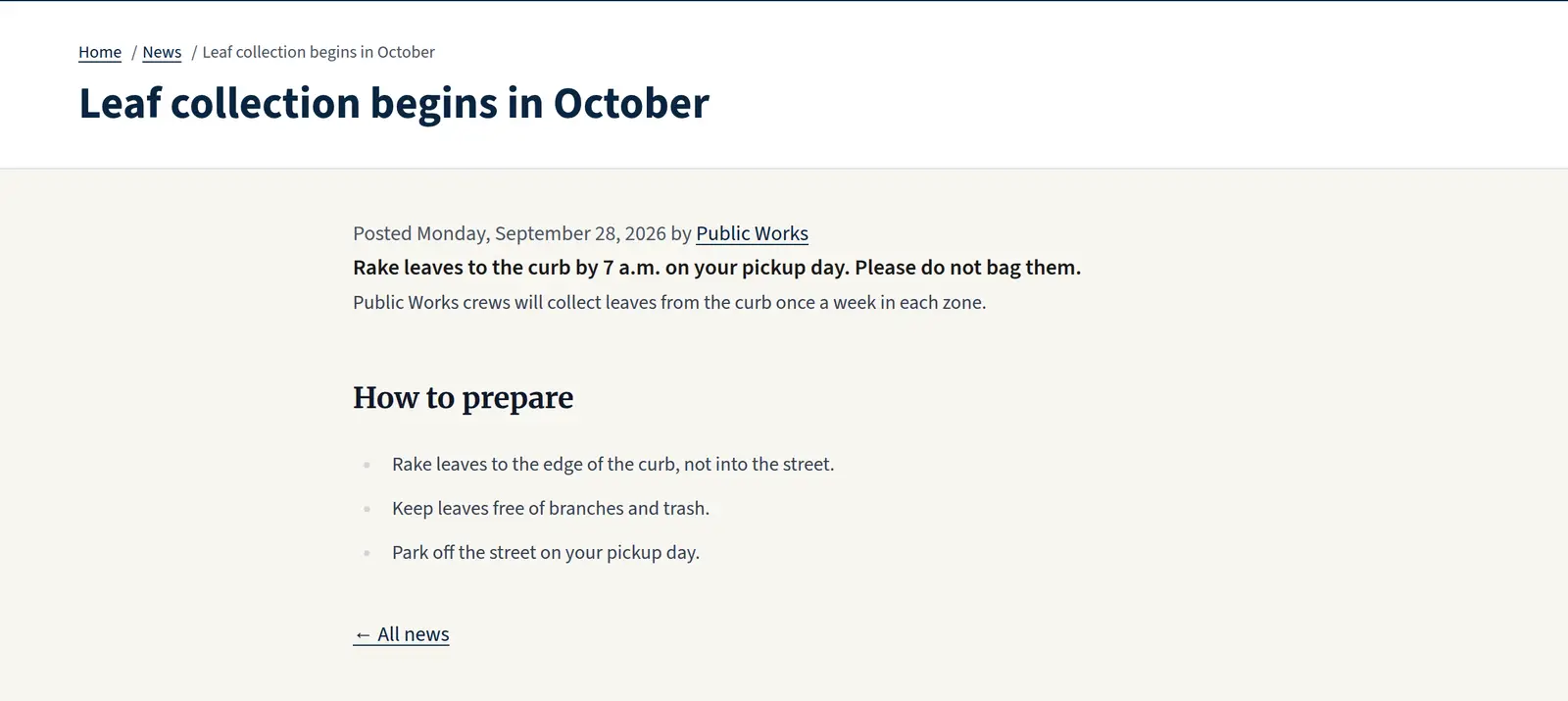
News and pages
Share updates and build the rest of your site from ready-made sections.
- News posts with summaries and images that also appear on your home page
- Pages built from text, calls to action, forms and media
- Search engine titles and descriptions for every page
- Redirects from your old website’s addresses, so links keep working
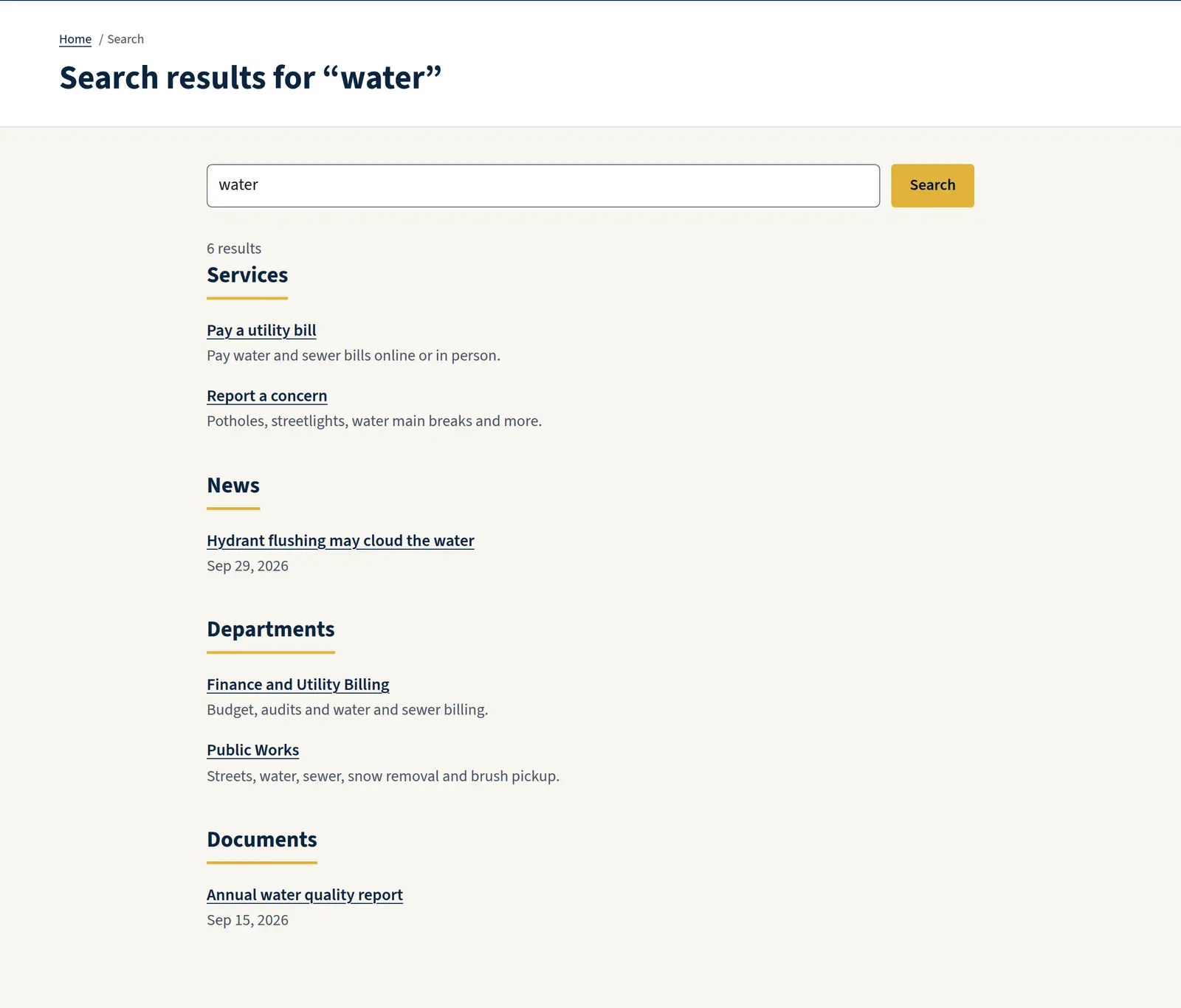
Site search
One search box for everything on your site.
- Searches services, pages, news, departments, staff, documents and meetings
- Results grouped so residents can tell a meeting from a document at a glance
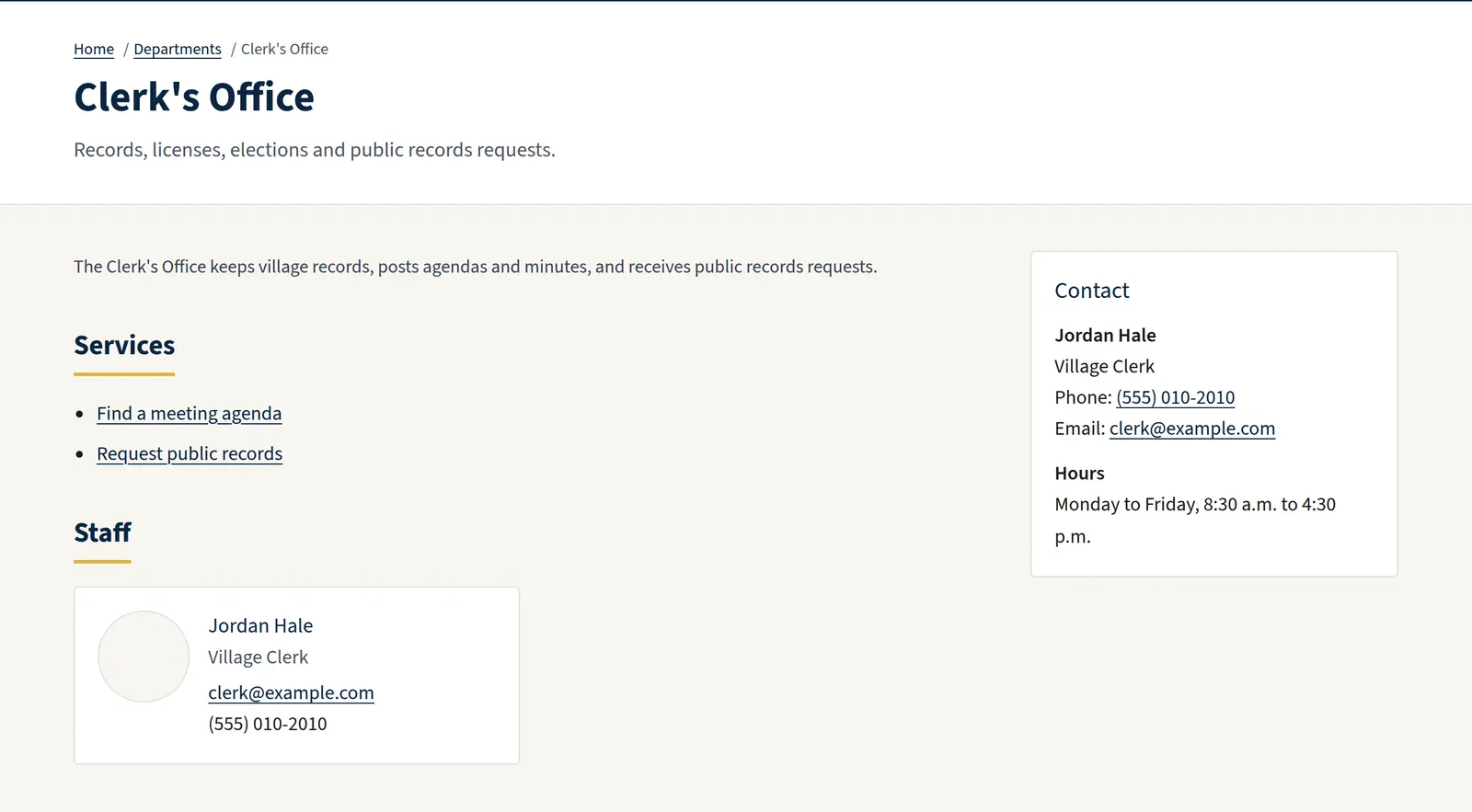
Your look, without the risk
Make the site unmistakably yours while keeping it accessible.
- Five color palettes, each checked for contrast: Heritage navy and gold, Prairie green, Lakeshore blue, Main Street brick and Civic slate
- Your seal, a hero photo, your address and office hours
- Menus and footer links you control

Domains, hosting and security
The technical side, handled for you.
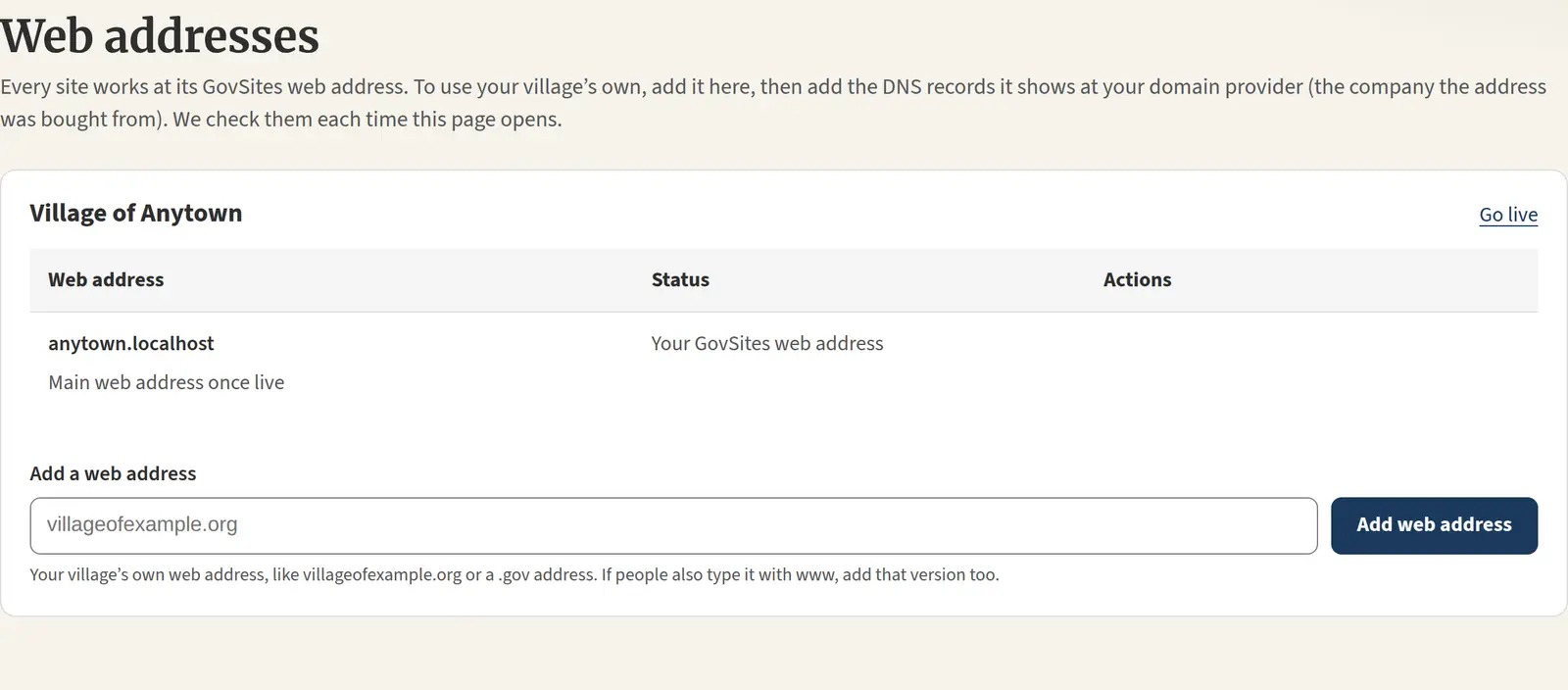
- Your own domain, including a free .gov address through get.gov
- Secure HTTPS certificates, hosting and software updates included
- Databases in the United States with point-in-time recovery
- An authenticator app for every staff sign-in, and lockouts after repeated failed attempts
Accessibility built in
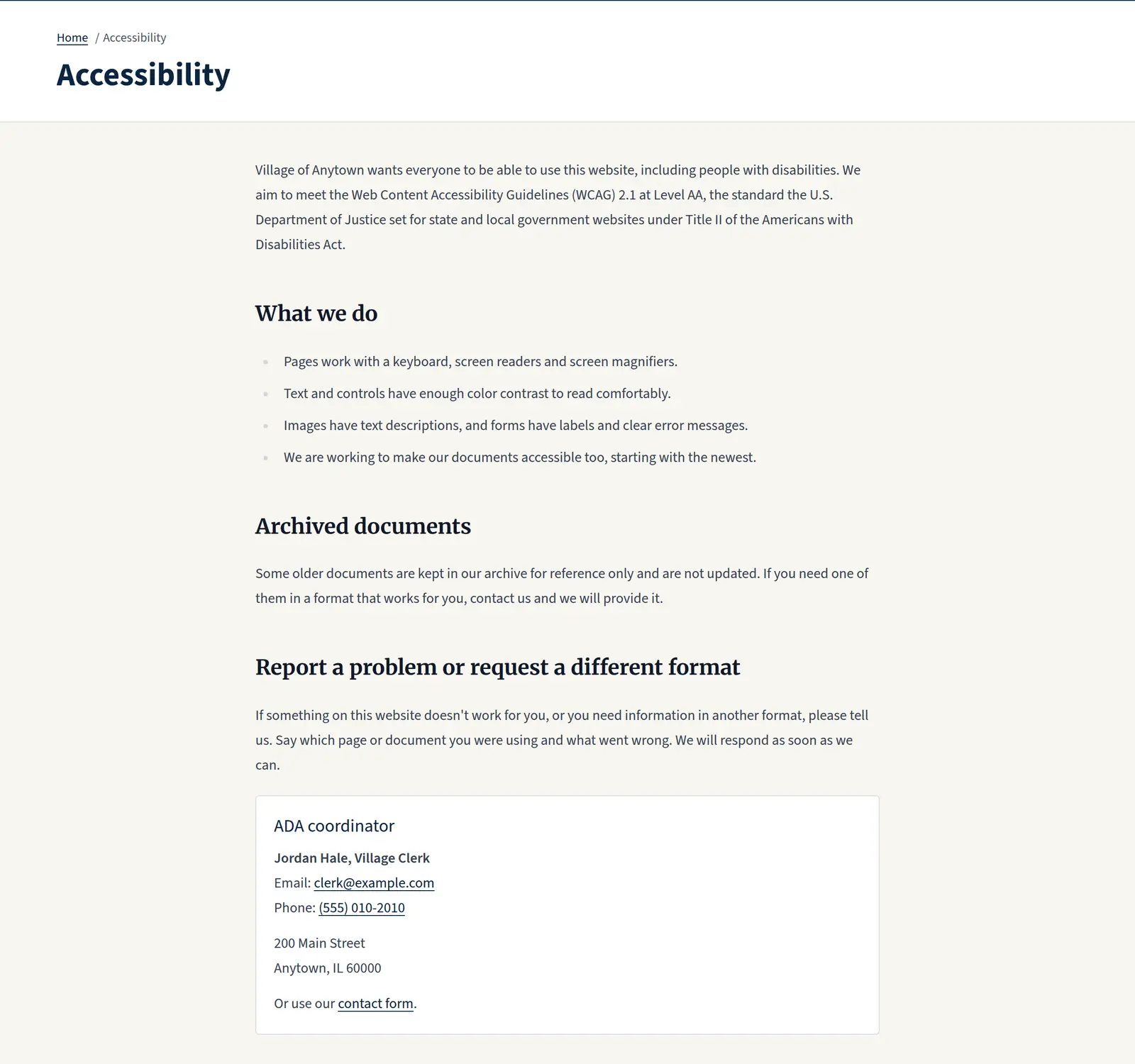
Built to WCAG 2.1 AA, the standard in the Department of Justice’s ADA Title II rule.
- Templates tested with automated accessibility checks on every release
- Keyboard access, skip links, visible focus and a clear heading structure on every page
- Forms with proper labels and error messages
- An accessibility statement on every site
- No accessibility overlay widgets, ever
A portal your staff will actually use
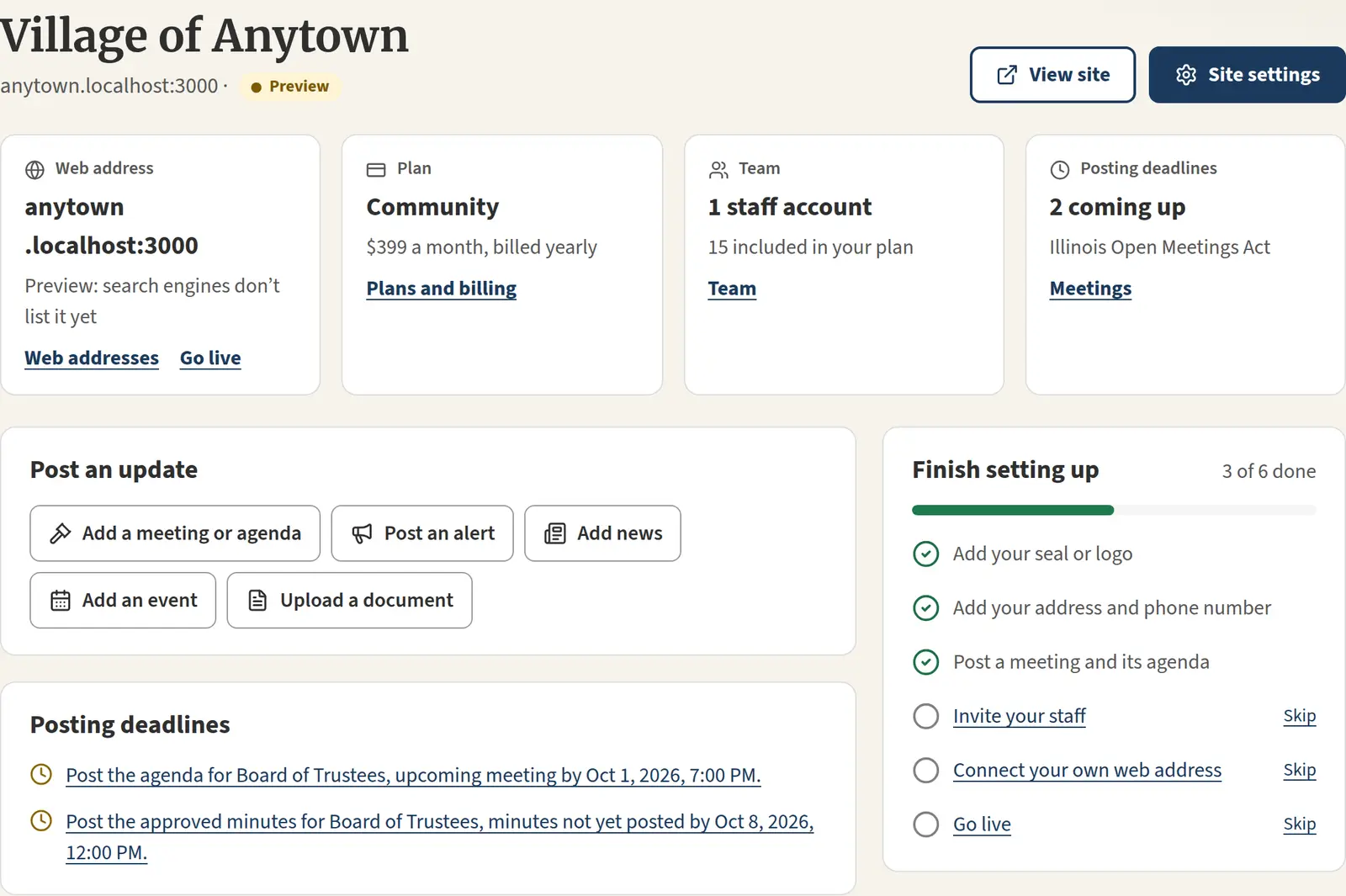
Organized around what a village posts, not around how websites are built.
- Sections for Meetings, Alerts, Documents, News, Events and Pages
- Drafts, and posts scheduled to publish on their own
- Village admins manage settings and forms; editors manage content
- Staff who serve more than one government can switch between them
Coming soon
On the way, and included in your plan
These features are in development. When they launch, they’re included in your plan at no extra cost, except the add-ons listed on our pricing page.
Visual page designer and templates
Click to edit, drag sections into place and preview on a phone, with accessible building blocks.
AI writing help
Turn rough notes into a formatted notice, summarize long documents and suggest plain-language rewrites. A person approves every draft.
Email and text alerts
Send alerts, agendas and news to subscribers by email, and urgent notices by text.
Resident AI assistant
Answers questions like “When is leaf pickup?” from your own site’s content.
Translation
Spanish and one more language, drafted by AI and reviewed by your staff.
Accessibility monitoring
Regular scans of your whole site and checks on every PDF you upload.
Department approvals and Microsoft 365 sign-in
Route posts for approval by department, and let staff sign in with their work accounts.
Ready to see GovSites in action?
Explore all the features with a free 30-day trial. No credit card required.